Turn your footage into a finished video with better pacing, cleaner sound and consistent color. A practical course that takes you from the basics of Final Cut Pro to a confident, efficient editing workflow, taught by an editor with 20 years in post-production, not a button-by-button tour.
Already enrolled? Log in to Payhip to keep watching.
Watch online on any device, forever. Downloadable practice media included · no subscription
Start here
If any of these describe your editing life right now, this course was built for you.
You will learn what pacing, sound and color each contribute, so you can name what is missing and fix it.
Every lesson explains the decision behind the click, so the technique transfers to your own footage.
Chapter 8 is about the edit itself: cutting to music, choosing the right track, editing for retention, building a demo reel.
One organized route from import to export, the way a working editor actually moves through a project.
The right cut can give a moment room to breathe. A balanced audio mix can make your message easier to follow. Consistent color can make separate shots feel like they belong together.
Enhanced Editing helps you understand how those decisions work, and how to make them in Final Cut Pro. We start with the workspace and timeline, then build toward sound, color, effects, storytelling and your final export. Each stage gives you skills you can bring straight to your own projects.

Nine chapters that move from the workspace to a finished export. Essential tools first, then intermediate and advanced techniques.
Interface, settings, browser and a workspace personalized to how you edit. The foundation that makes everything after it faster.
Chapter 1Timeline index, precision editor, range, blade and zoom tools, role-based editing, keyframing, shortcuts for speed, and copy and paste the Final Cut way.
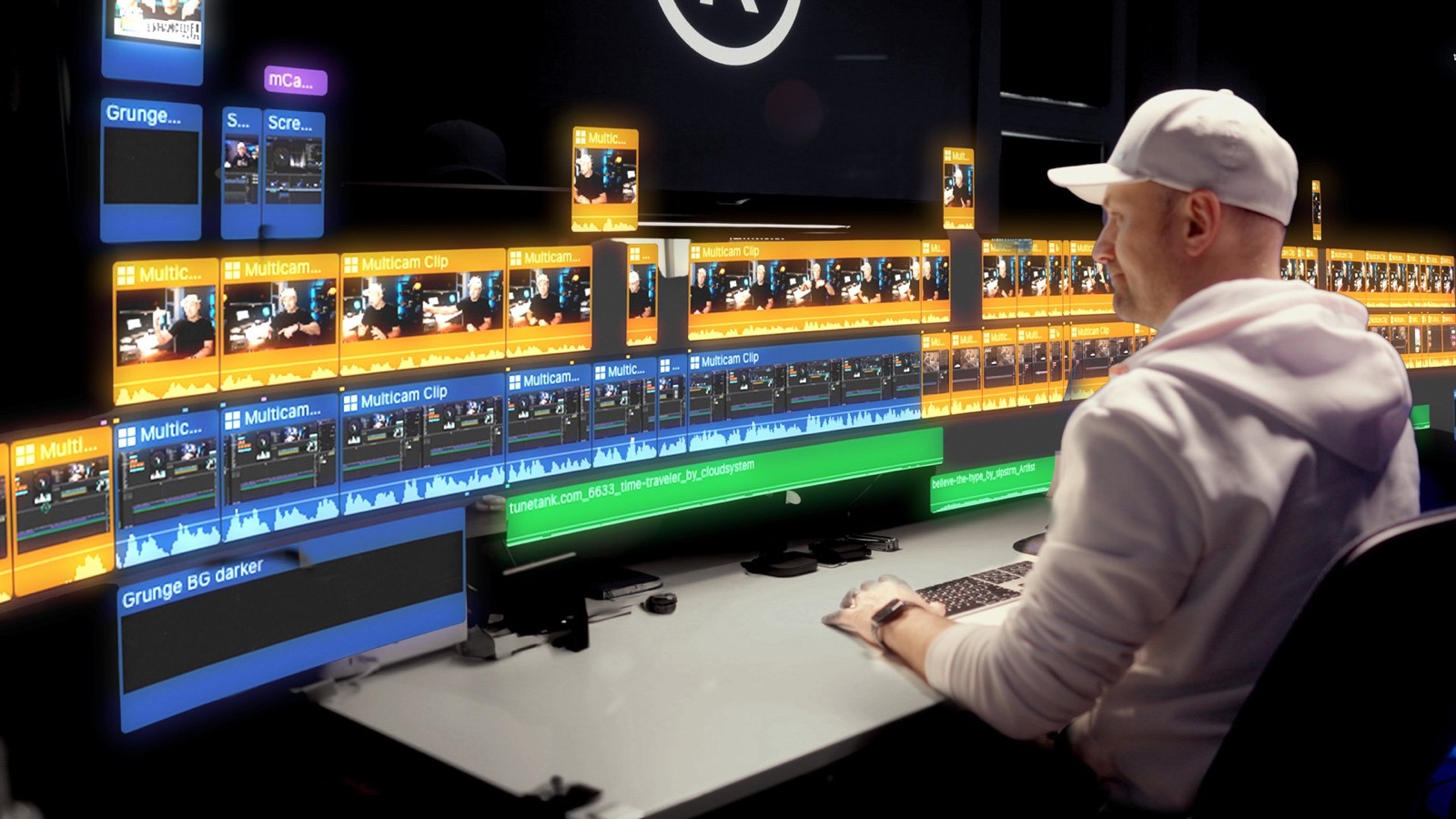
Chapter 2Compound clips, secondary storylines, advanced trimming, auditions, multicam editing, speed ramps, smooth slow motion, and the A-roll versus B-roll mindset.
Chapter 3Role-based mixing, audio repair, the only four audio plugins you really need, mixing dialogue with music and effects, voiceover, spatial audio and syncing external audio.
Chapter 4Color theory, the color tools and video scopes, balance and match color, LUTs, correcting LOG footage and skin tones, SDR versus HDR, and managing grades across a project.
Chapter 52D and 3D titles, tracking and stabilization, green screen, the Magnetic Mask, advanced compositing, closed captions and transcripts, and effects-heavy sequences that still play back.
Chapter 6Efficient project habits, relinking missing media, storage cleanup, sharing and exporting for every destination, collaborative editing, and archiving properly.
Chapter 7Editing for different genres, cutting to music versus the beat, choosing the right track, building a demo reel, and editing for YouTube retention.
Chapter 8A car commercial and a multicam music video, with the footage included, plus the free and paid tools that get the most out of Final Cut Pro.
Chapter 9 · BonusFinal Cut Pro has no audio buses. No submixes, no mixer routing. But it does have compound clips, and used right, they do the same job. This lesson shows you how, and it is exactly how the rest of the course is taught.
Start with the interface, settings and the magnetic timeline. If you have never opened Final Cut Pro, this is where you begin. If you already know the basics, it fills the gaps that slow you down.
Audio, color, effects and workflow, one chapter at a time. Every lesson connects to the one before it, so you are building a method, not collecting tricks.
Download the footage and cut a car commercial and a multicam music video yourself. Then bring the same process to your own work.
Open any chapter to see every lesson inside it. Lessons marked NEW were added in the latest update, free for every student.
When Final Cut Pro adds a feature worth teaching, a lesson gets added here. You get every update for free, for as long as the course exists.
I am an editor and educator with more than 20 years in post-production, working with global brands and world-renowned public figures. I spent three years teaching Avid Levels 1 and 2 at the Toronto Film School, and my commercial work runs from luxury car brands to viral content for some of the biggest names on the internet.
On YouTube, I share the tools, techniques and creative decisions that help me shoot smarter and edit faster. This course brings that same practical approach into one structured route through Final Cut Pro. My aim is that you understand your choices well enough to make them confidently on your next project.
I've been using FCP for about three years, editing videos for two YouTube channels. Up to this point, I've been using workflows I've patched together by watching YouTube instruction videos. This course taught me a new approach that really smoothed out the editing workflow. Highly recommend!
I'm a beginner user here and this class is accelerating my learning! So far classes have been fantastic and honestly worth every penny!
Very wide program describing the most important and necessary tools. I have been working with FCP for over a year and I found here many answers and learned more about dedicated utilities. I recommend it to anyone who wants to develop in Final Cut Pro.
Excellent work.
No subscription, no drip schedule, no expiry. Enroll once and every lesson, every download and every future update is yours.
Everything, with lifetime access and free updates.
Yes. The course starts with the interface, settings and workspace before moving into editing techniques. You can begin with the fundamentals and build from there.
Yes. You can strengthen your understanding of the timeline and explore audio, color, multicam editing, effects and workflow techniques in more depth. Chapters 3 through 8 are where intermediate editors get the most out of it.
The course gives you an organized route through the learning process. You work through connected topics in order and practice with the included media, instead of deciding which tutorial to search for next.
A Mac running Final Cut Pro. Downloadable practice media is included, so you can try the techniques as you learn them.
Yes. Watch the free audio lesson above to get a feel for the teaching, and the course intro for an overview of what is covered.
Checkout is through Payhip. Right after payment you get access to the course player, where you can watch every lesson online, on any device, in any order, for as long as you like. Practice media is downloadable from inside the course. To come back later, log in to Payhip with the email you bought with.
Yes. When Final Cut Pro adds a feature worth teaching, a lesson gets added, and you get it free. The Scrolling Timeline, Smooth Slow Motion, Enhance Light and Color, Magnetic Mask, and Transcripts and Captions lessons were all added this way.
Yes. If the course is not for you, email apps@rafaelludwig.com within 14 days of purchase and you get your money back.
Share Enhanced Editing and the other PowerApps with your audience and earn a commission on every sale through your link. Free to join, 30-day tracking, monthly PayPal payouts.