For Final Cut Pro · 100% on your Mac
Clean footage, real detail.
DeNoise, DeFlicker, and DeBand in one plugin. Drop PowerClean on a clip. It measures the noise itself and removes it, while edges and texture stay.
7 days free, no signup. Then $14.98 once. Launch price: 50% off until December 17
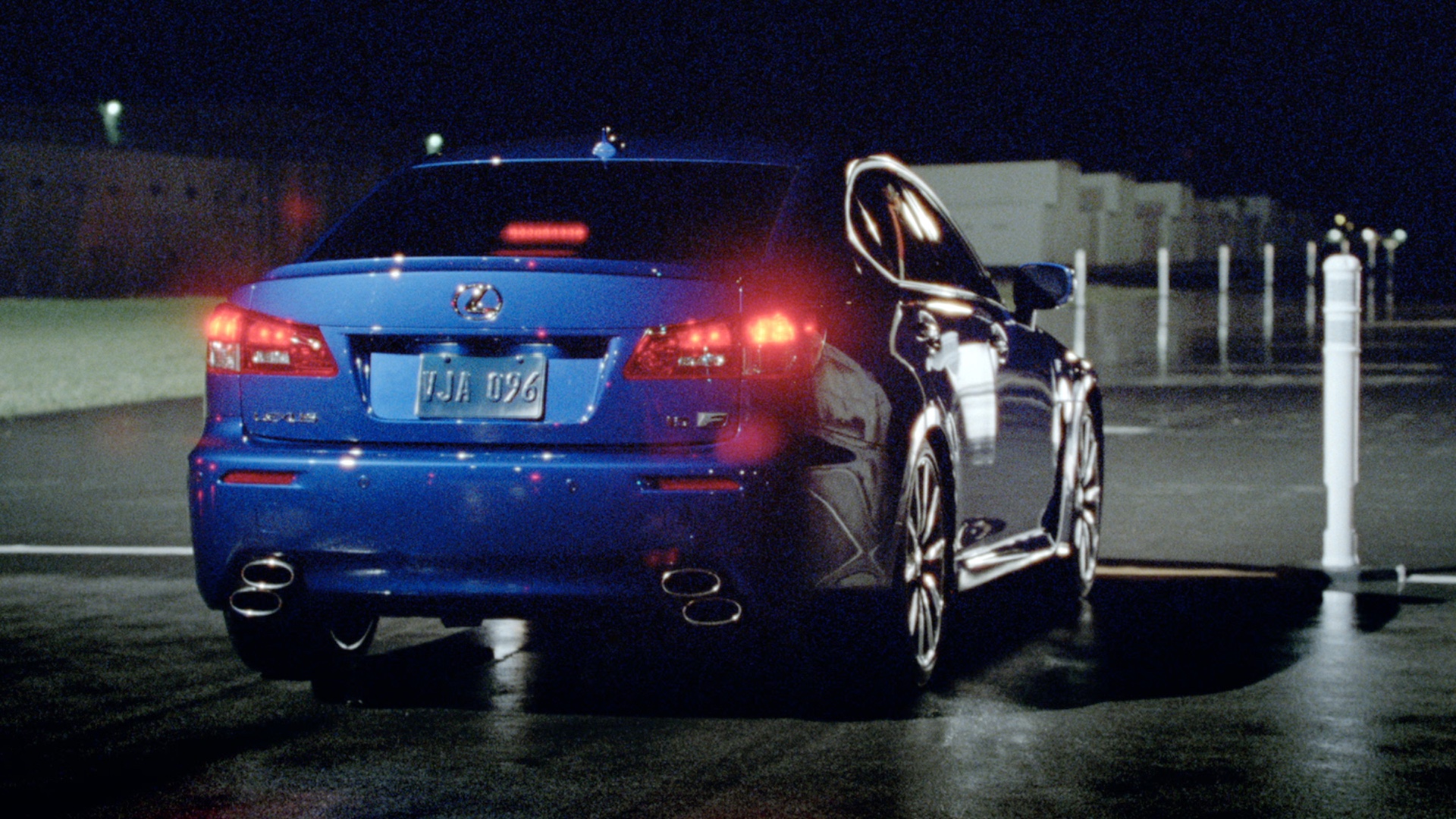
 BeforeAfter
I'm Rafael Ludwig. I've edited for a living for 20 years, and 68K people learn Final Cut Pro on my channel.
Final Cut Pro on a Mac
Denoise
It measures the noise, then removes it.
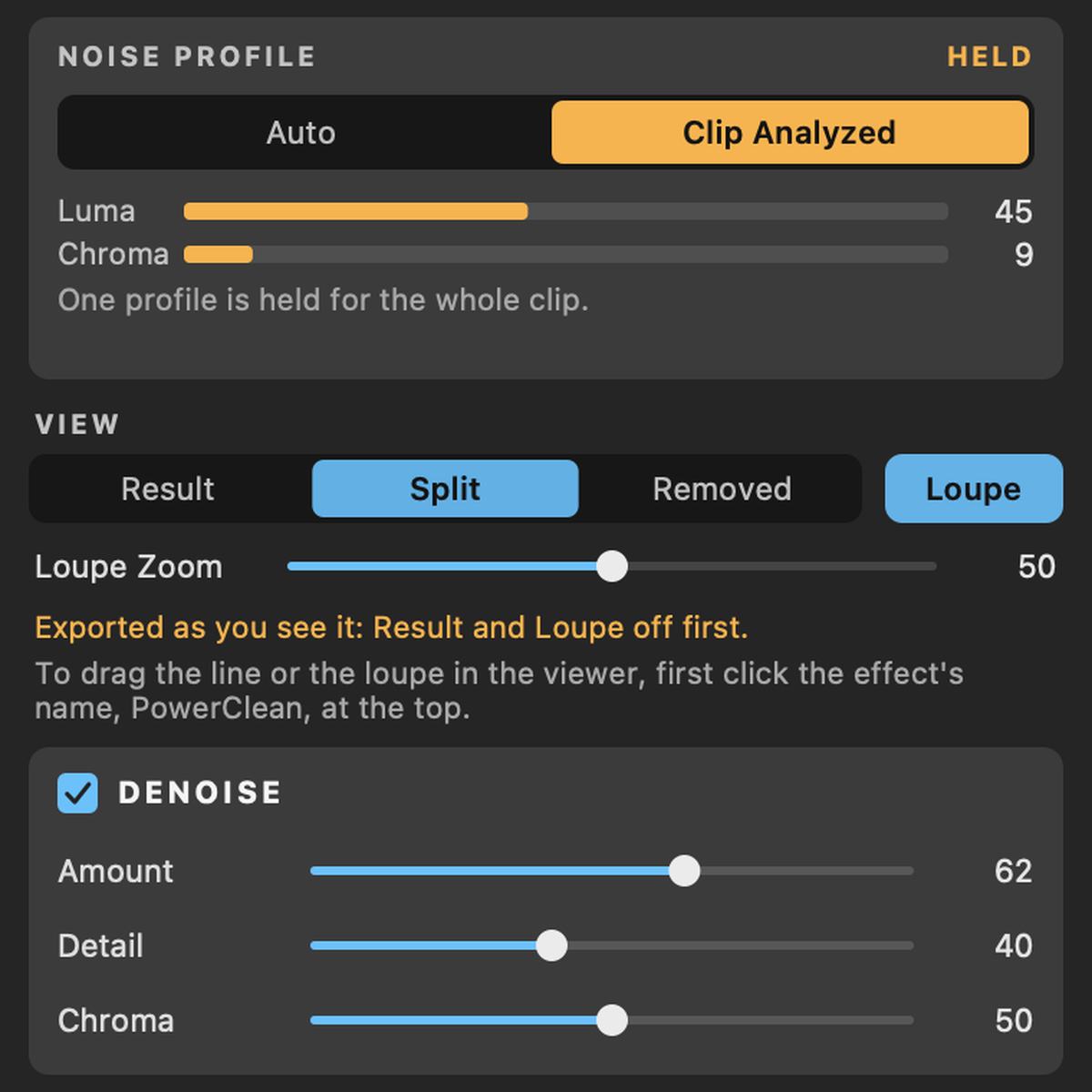
PowerClean reads the noise from the clip and follows motion across five frames, so grain goes and edges stay. Amount, Detail and Chroma are there when you want to steer.

 BeforeAfter
Deflicker
Steady light from frame to frame.
Brightness that jumps between frames is evened out area by area. The motion search ignores brightness, so flicker is never mistaken for movement.
Deband
Smooth skies instead of stripes.
Banding in skies and soft gradients is filled back in only where the picture is flat, so real shading is left alone. Tick Grain to keep it smooth through an 8-bit export.

 BeforeAfter
Check
See exactly what it did.
A split line and a loupe sit in the viewer, and Removed shows only what was taken out. Analyze Clip holds one noise profile for the whole clip.
With one click now I have my audio balanced with my music. Best investment this year by far.
PowerCut basically handles that entire first pass for you. What blew me away is that it runs 100% on-device on Apple Silicon.
I have purchased and paid monthly for several teleprompters over the last five years. PowerCue simplifies everything.
For someone like me with little to no experience with sound it has greatly improved my workflow.
So I downloaded the 7-day trial, edited one video with it... and bought it immediately afterward. Seriously. One video was enough.
This is an incredibly useful, one stop set of tools for sculpting great sounding dialogue tracks.
Pricing
Try it free. Pay once if you keep it.
Prices in USD. One-time purchase. No account needed to try.
Launch price: 50% off until December 17.
- 7 full days, every feature
- No signup
- Your settings stay when you upgrade
- Denoise, deflicker and deband
- Split view and loupe in the viewer
- Yours forever
7 days free, then 14 days money back. One email to apps@rafaelludwig.com, no questions.
Questions
Which editor does it work in?
Final Cut Pro on a Mac. It installs as an effect under PowerApps in the Effects browser.
Does it use AI?
No generative AI and no learned model. PowerClean compares each frame with the two before it and the two after it, so nothing in the picture is invented.
Does it play in real time?
At 1080p, yes: it plays without dropped frames on my M5 Max. At 4K, press Analyze Clip first. It holds one noise profile for the whole clip, which roughly halves the work per frame, and heavy 4K footage can still need a render.
How does the free trial work?
Seven days with every feature unlocked, no signup. When the trial ends, PowerClean stops working until you add a license key, and your settings are kept for when you do.

Clean up your next low-light shot.
Free for 7 days.
Pay once · 14-day refund · Already own it? My Purchases